Product and category management
Organize products by category and manage names, images, pricing, descriptions, and featured labels.
Product
Nextify.OnlineShop is an online shop and order management platform for retail, food and beverage, and local merchants. It helps businesses launch online sales channels and manage products, orders, branches, and customer data in one place.
Customers can submit orders by mobile or email, while merchants can review new orders, manage product lists, update shop status, and assign admin permissions from the backend. Whether operating one shop or multiple branches, Nextify.OnlineShop simplifies daily operations and improves order handling efficiency.
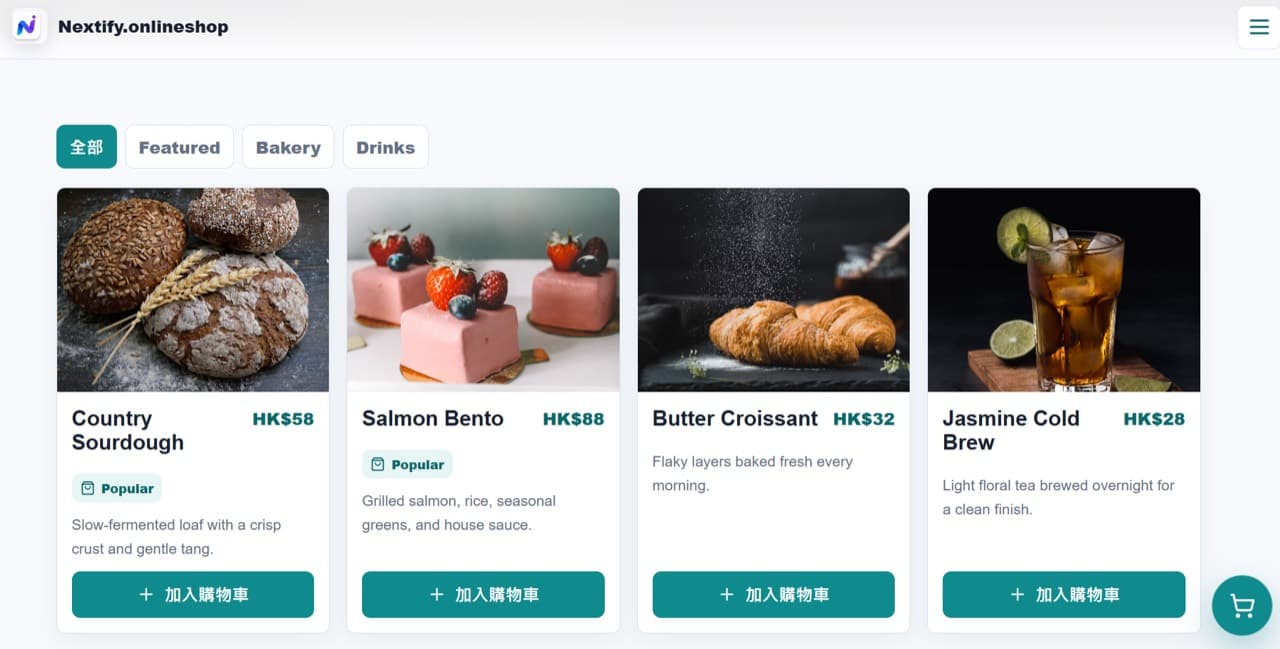
Organize products by category and manage names, images, pricing, descriptions, and featured labels.
Customers can add multiple products to cart and submit structured orders in one flow.
The backend captures new orders, customer contact details, order items, and processing status.
Supports single-shop and multi-branch operations with system admin and shop admin permissions.
Supports SMTP email notification settings and reserved support for WhatsApp / Email notification templates.
Merchants can update shop status based on operating hours, product availability, and handling capacity.
Nextify.OnlineShop helps merchants build online sales workflows faster, simplify operations, and improve order management efficiency.
Set shop profile, brand details, operating status, and basic backend permissions.
Add product images, pricing, descriptions, and categories to build a clear catalogue.
Customers browse by phone, choose products, and add them to cart.
Customers confirm cart details and submit orders with mobile or email contact details.
Staff or admins review new orders and follow up on status and customer details.
Merchants update products, branches, permissions, and notification settings over time.